
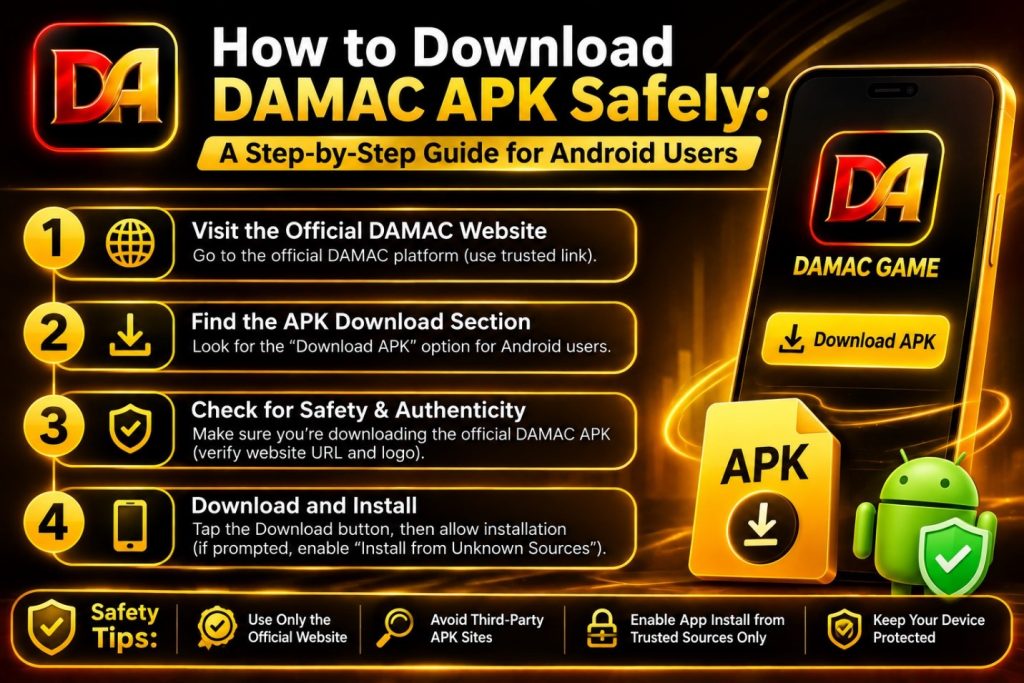
Searching for a DAMAC APK is common among Android users who want a convenient way to access the DAMAC platform from their smartphones. However, downloading an APK is not simply about finding a file and installing it.
The source of the file matters.
An APK obtained from an unknown website may be modified, outdated, or potentially unsafe. For that reason, Android users should verify the source and application information before installing anything.
This guide explains how to approach a DAMAC APK download safely, what information to check, and what users should know before installing an application.
What Is a DAMAC APK?
APK stands for Android Package Kit. It is the file format used to distribute and install applications on Android devices.
When users search for “DAMAC APK,” they are generally looking for an Android version of the DAMAC application.
The DAMAC website currently provides information about mobile access and references an application version of 1.0.2 with an indicated size of 26 MB. However, users should verify the current version and file information before installation because application details can change.
The most important point is to distinguish between an official application and an APK hosted by an unrelated third-party website.
Why Is APK Source Important?
APK files are not automatically dangerous, but downloading applications from unknown sources increases risk.
A third-party APK may have been modified after being obtained from the original developer. It may also be outdated or bundled with unwanted software.
This is why users should avoid choosing a download solely because a website claims that it offers the “latest” version.
Instead, verify the source and compare the application information with the information provided by the platform.
Step 1: Find the Official DAMAC Source
The first step is to identify the official DAMAC website or verified application distribution channel.
Avoid relying on random websites appearing in search results.
Before downloading, check the website domain and make sure the page is actually associated with the platform.
A secure connection is another basic check, although HTTPS alone does not prove that a website is legitimate.
Step 2: Check the APK Information
Before downloading, review the information available about the application.
Important details include:
- Application name
- Version number
- File size
- Developer or publisher information
- Supported Android versions
- Update information
- Installation instructions
For example, the current DAMAC website lists version 1.0.2 and an indicated file size of 26 MB. These details provide a useful reference point, but they should not be treated as permanently fixed specifications.
If an APK website shows completely different information, investigate before installing it.
Step 3: Check the Download Page
A legitimate download page should provide clear information about what users are downloading.
Be cautious when a page:
- Opens several unexpected tabs
- Redirects repeatedly
- Uses misleading download buttons
- Claims your phone has a virus
- Requests unnecessary personal information
- Promises guaranteed winnings
- Requires you to install another application first
A genuine download process should not require unnecessary steps.
Step 4: Review Application Permissions
Permissions are another important consideration.
An application may legitimately require certain permissions depending on its functions. However, users should question permissions that appear unrelated to the application’s purpose.
Before installation, review what the application requests.
If you are uncomfortable with the requested permissions, do not proceed until you understand why they are required.
Step 5: Keep Android Updated
Before installing any application, make sure your Android device is reasonably up to date.
Operating-system updates can include important security improvements.
It is also good practice to keep your existing applications updated and use the security features available on your device.
Step 6: Install Carefully
If you have verified the source and decided that the application is appropriate for your device, follow the platform’s installation instructions.
Do not install modified APKs simply because they claim to provide additional bonuses, unlimited access, or special features.
Modified applications can create additional security risks and may not represent the actual platform.
What About DAMAC APK Download Websites?
A Google search for “DAMAC APK download” may return multiple pages.
Users should not assume that every page offering a download is official.
Third-party websites can copy logos, screenshots, descriptions, and download buttons to make themselves look legitimate.
Always verify the domain and source before entering any personal information or downloading a file.
If the official platform does not currently provide an APK, it is safer to avoid unofficial alternatives.
How to Identify a Suspicious DAMAC APK
There are several warning signs that should make users stop before installing an APK.
For example, be cautious if a website claims:
“Guaranteed winnings with this modified APK.”
“Unlimited bonus unlocked.”
“No verification required.”
“Official hacked version.”
Such claims should be treated as warning signs rather than benefits.
The safest approach is to use the standard application provided through a verified source and follow the platform’s published information.
What If the APK Does Not Install?
There can be several reasons why an APK does not install.
The file may be incompatible with your Android version, damaged during download, outdated, or not intended for your device.
Instead of downloading several copies from different unknown websites, first check the official platform information and your device compatibility.
If an official version is available, use that source for troubleshooting and installation instructions.
DAMAC App vs APK
The terms “DAMAC App” and “DAMAC APK” are related but not necessarily identical in how users encounter them.
The app refers to the application itself, while APK generally refers to the Android installation package.
For users, the important question is not simply whether the file is an APK but whether it comes from a legitimate and trustworthy source.
Protect Your Login After Installation
Once the application is installed, account security remains important.
Create a strong and unique password.
Never send your password or verification code to another person.
Do not enter your login details into links received from unknown messages.
If you suspect that someone has gained access to your account, use the official account-support or recovery process.
Final Checklist Before Downloading
Before installing a DAMAC APK, ask yourself:
- Is the source official or verified?
- Does the application name match?
- Does the version information make sense?
- Is the file size consistent with the published information?
- Are the permissions reasonable?
- Does the website use a secure connection?
- Are there suspicious redirects?
- Does the page make unrealistic promises?
- Is the application compatible with your device?
If the answer to several of these questions is unclear, do not rush the installation.
Final Thoughts
A DAMAC APK can provide mobile access when an official Android application is available, but the safety of the download depends heavily on the source.
Users should verify the official website, application details, version, permissions, and installation requirements before proceeding.
The current DAMAC website references version 1.0.2 and a 26 MB application size, but users should always confirm the latest information before downloading.
Most importantly, avoid modified or suspicious APK files and never provide confidential login information to unofficial websites.